
Spaceio+
HomeAboutServicesProjects
Spaceio+ LensCareers
ProfileGet Quote
HomeAboutServicesProjectsSpaceio+ LensCareersContact

Locations

Delhi NCRGurugramNoida & Greater NoidaPuneAyodhya

Insights

GuidesBlog
Company ProfileGet Quote
Spaceio+™

About Us

Delivering Experiences That Last

Company Profile

Quick Links

  • Home
  • About
  • Services
  • Projects
  • Spaceio+ Lens
  • Careers
  • Contact

Locations

  • Delhi NCR
  • Gurugram
  • Noida & Greater Noida
  • Pune
  • Ayodhya

Insights

  • Guides
  • Blog

Contact

  • (+91) 8087488851(+91) 9540637311
  • contact@spaceioplus.com
  • Spaceio+™, Cofynd, Mayur Vihar Phase-1, New Delhi

© 2026 Spaceio+™. All rights reserved.

SitemapPrivacy Policy

Blog · Process

Construction Gantt Chart Template Free Download for Fit-Out Projects

Free Excel Gantt chart template for construction and commercial fit-out projects. Plan tasks, dependencies, and milestones across Delhi NCR delivery.

Spaceio+ Team16 August 20266 min read
Construction Gantt Chart Template Free Download for Fit-Out Projects
  1. Home
  2. Blog
  3. Construction Gantt Chart Template Free Download for Fit-Out Projects

A Gantt chart is one of the simplest ways to bring order to a complex construction or fit-out programme. It maps what happens when, which trades overlap, and where delays in one activity will ripple through the rest of the schedule.

On commercial interiors (office fit-outs, retail, hospitality, and managed workspaces), dozens of activities run in parallel: design freeze, MEP routing, civil works, factory furniture, commissioning, and landlord inspections. A structured Gantt template helps project managers, site engineers, and clients stay aligned without losing sight of the critical path.

What is a Gantt chart?

A Gantt chart is a timeline-based planning tool. Tasks are listed vertically; time runs horizontally. Each activity appears as a bar showing its start date, duration, and end date.

Used well, it helps you:

  • See start and end dates for every task
  • Map dependencies (what must finish before the next activity starts)
  • Track progress against the baseline programme
  • Spot overlapping trades and resource clashes early
  • Communicate schedule status to clients and landlords in a visual format

For fit-out teams, that clarity matters. A delay in AC ducting can push ceiling closure, which delays lighting, which delays furniture installation and final snag.
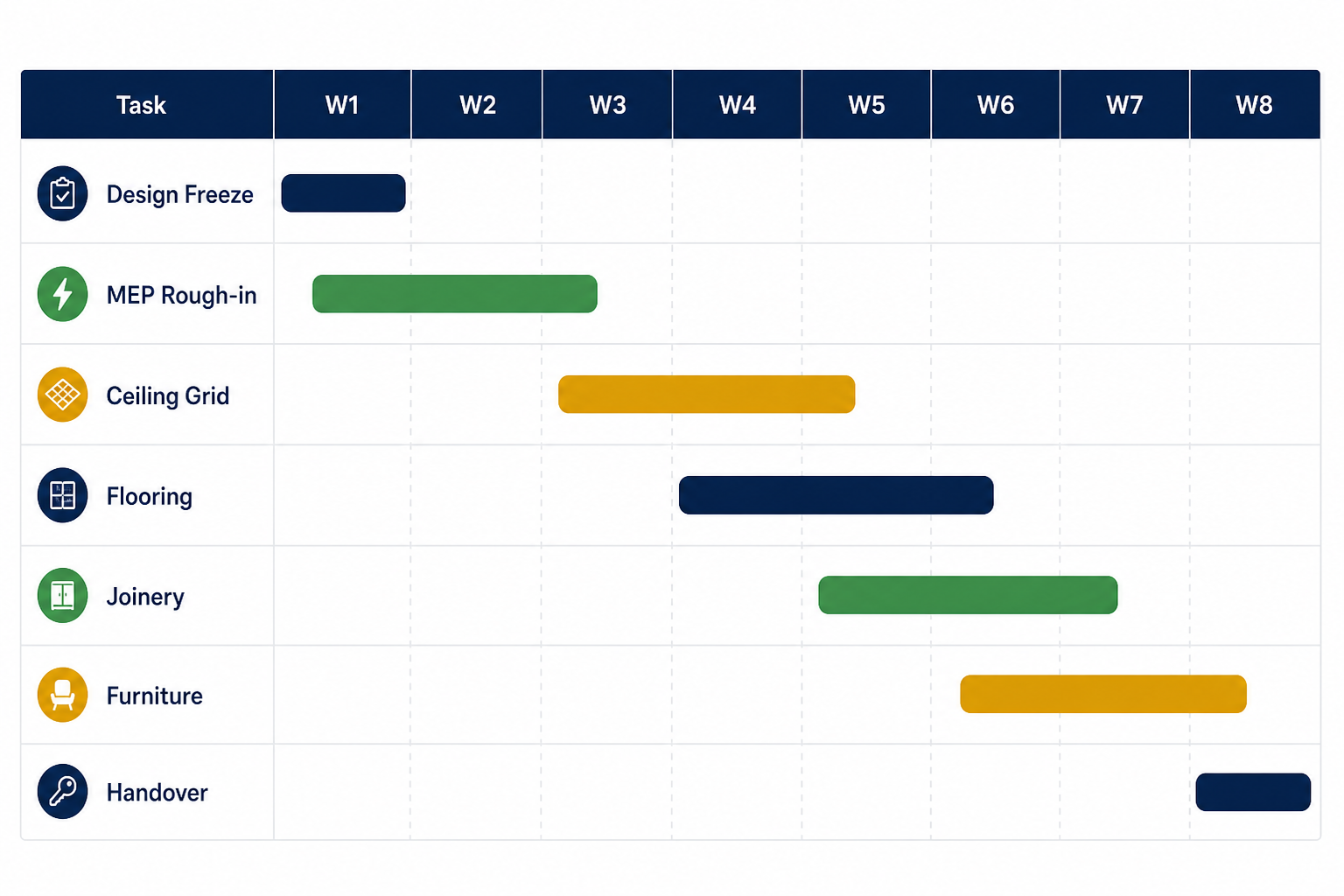
Construction Gantt chart template showing fit-out tasks across a weekly timeline

Why use a Gantt chart on fit-out and construction projects?

Commercial fit-out projects in Delhi NCR, Gurugram, and Noida often involve:

  • Multiple subcontractors (MEP, civil, furniture, networking, signage)
  • Landlord and fire-NOC milestones
  • After-hours or phased handovers in live buildings
  • Client sign-offs on finishes, BOQ variations, and sample approvals

A Gantt chart template gives you a repeatable structure. You plug in project-specific dates and trades instead of rebuilding a schedule from scratch for every site.

Key benefits for fit-out delivery

  • Coordination: Site engineers know when each trade is expected on floor
  • Critical path visibility: Structural MEP and ceiling closure usually drive the programme; the chart makes that obvious
  • Client reporting: Weekly progress reviews become easier with a single visual reference
  • Snag and handover planning: Punch-list and O&M documentation slots can be scheduled before go-live

Who should use this template?

This Excel Gantt chart template is useful for:

  • Project managers overseeing turnkey or design-and-build fit-outs
  • Site engineers tracking daily execution against the master programme
  • MEP coordinators sequencing HVAC, electrical, plumbing, and fire systems
  • Managed office operators rolling out repeatable centre formats
  • Developers and landlords reviewing tenant fit-out timelines
  • Clients and facility heads who need a simple view of milestones without PM software

Whether you are delivering a 4,000 sqft office in Aerocity or a multi-floor managed workspace in Gurugram, the same scheduling logic applies: define tasks, set dependencies, update progress weekly.

What's inside the template

The free Construction Gantt Chart template (Excel) includes:

  • Pre-structured task rows suitable for construction and interior projects
  • Timeline columns for start date, duration, and end date
  • Space to note dependencies between activities
  • A visual bar layout for week-by-week tracking
  • Room to add milestones such as design approval, MEP rough-in, ceiling closure, and handover

You can adapt task names for your project, for example breaking out partitions, flooring, joinery, MEP testing, and landlord inspection as separate lines.

How to use the template on your project

  1. List all major activities: design, procurement, civil, MEP, finishes, furniture, commissioning, snag, handover.
  2. Assign realistic durations based on floor plate size, building rules, and trade availability.
  3. Set dependencies, e.g. ceiling grid only after ducting; painting after plaster; furniture after floor protection.
  4. Highlight milestones: design freeze, NOC submissions, practical completion, and client walkthrough.
  5. Update weekly: mark completed tasks and adjust downstream dates when slippage occurs.
  6. Share with stakeholders: use the chart in MOMs and weekly progress reviews.

For larger programmes, pair the Gantt with your DPR process and BOQ tracking so schedule, cost, and site progress stay connected.

Pros and cons of Excel Gantt charts

Advantages

  • Low cost and familiar: most teams already use Excel or Google Sheets
  • Clear visual programme: easy for non-technical stakeholders to follow
  • Fast to set up with a pre-built template
  • Customisable for office, retail, or hospitality fit-outs
  • Good for weekly reporting when updated consistently

Limitations

  • Manual updates: progress must be entered by the PM or site team
  • Limited resource levelling: manpower and equipment loading needs separate tracking
  • No automatic alerts unless you add formulas or integrate with PM tools
  • Version control: use dated filenames or a shared drive discipline to avoid conflicting copies

For enterprise portfolios, teams often graduate to dedicated PM platforms. For single-site fit-outs and early-stage planning, Excel remains practical and effective.

When to move beyond spreadsheets

Consider integrated project management when you need:
  • Real-time multi-user updates from site and head office
  • Automated notifications for overdue tasks and approvals
  • Linked BOQ, indent, and PO workflows
  • Photo-backed DPR and snag tracking on mobile
  • Portfolio dashboards across multiple centres

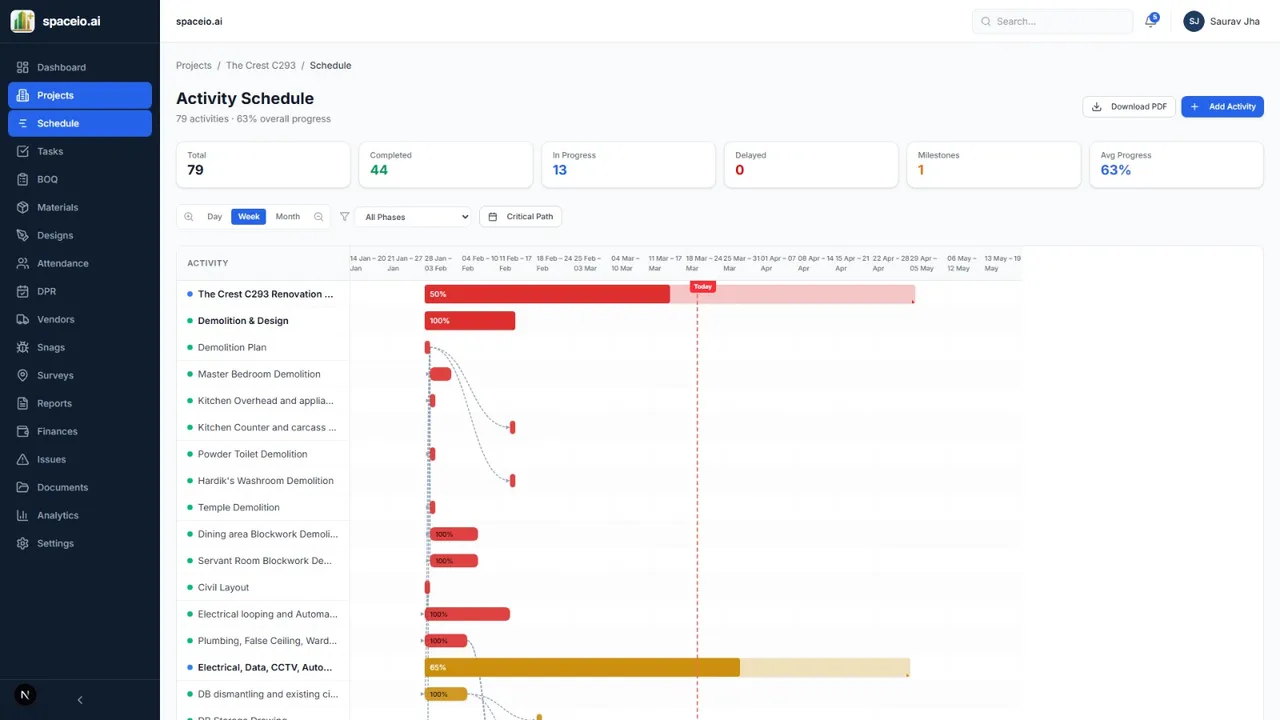
Spaceio+ Lens Gantt chart view for construction programme management

That is where Spaceio+ Lens fits: Gantt-style programme views, task dependencies, overdue alerts, and photo-backed DPR and snag tracking on mobile, so site and head office work from one schedule instead of dated spreadsheet copies.

Spaceio+ delivers fit-outs with disciplined programme control, from Worldmark Aerocity to STCS Kalkaji, using Lens on live projects where schedule, cost, and field progress need to stay connected.

Download the free Gantt chart template

Use the button below to download the Excel template. It is free to use on your projects with no sign-up required.

Download Construction Gantt Chart Template (Excel)

File format: .xlsx. Suitable for Microsoft Excel, Google Sheets, and LibreOffice Calc.

Frequently asked questions

What is a Gantt chart used for in construction?

It helps teams plan, schedule, and monitor tasks over time, showing when work starts, how long it runs, and how activities depend on each other.

Is Excel enough for fit-out project scheduling?

For many commercial fit-out projects, yes, especially during design development and early execution. Larger or multi-site portfolios may benefit from dedicated PM software such as Spaceio+ Lens, which keeps programme, BOQ, and site updates in one place once the Excel baseline is set.

How often should I update the Gantt chart?

Weekly is a practical minimum. Update after major milestones, trade completions, or when the programme slips more than a few days.

Can I use this template for office fit-outs in Delhi NCR?

Yes. Adapt the task list for landlord requirements, MEP lead times, and phased handovers common in NCR commercial buildings. See our Delhi NCR fit-out guide for regional context.

Does Spaceio+ help with programme management on live projects?

Yes. We plan and deliver turnkey fit-outs with coordinated trades, structured reporting, and clear milestone control on Spaceio+ Lens. Contact Spaceio+ to discuss your programme.


Planning a commercial fit-out in Delhi NCR or Gurugram? Contact Spaceio+ for design-and-build delivery with disciplined schedule control from kickoff to handover.

Planning a commercial fit-out?

Talk to Spaceio+ about turnkey delivery, PMC, or trade execution for your office, hotel, or managed workspace.
Get a QuoteBook a Call

Related projects

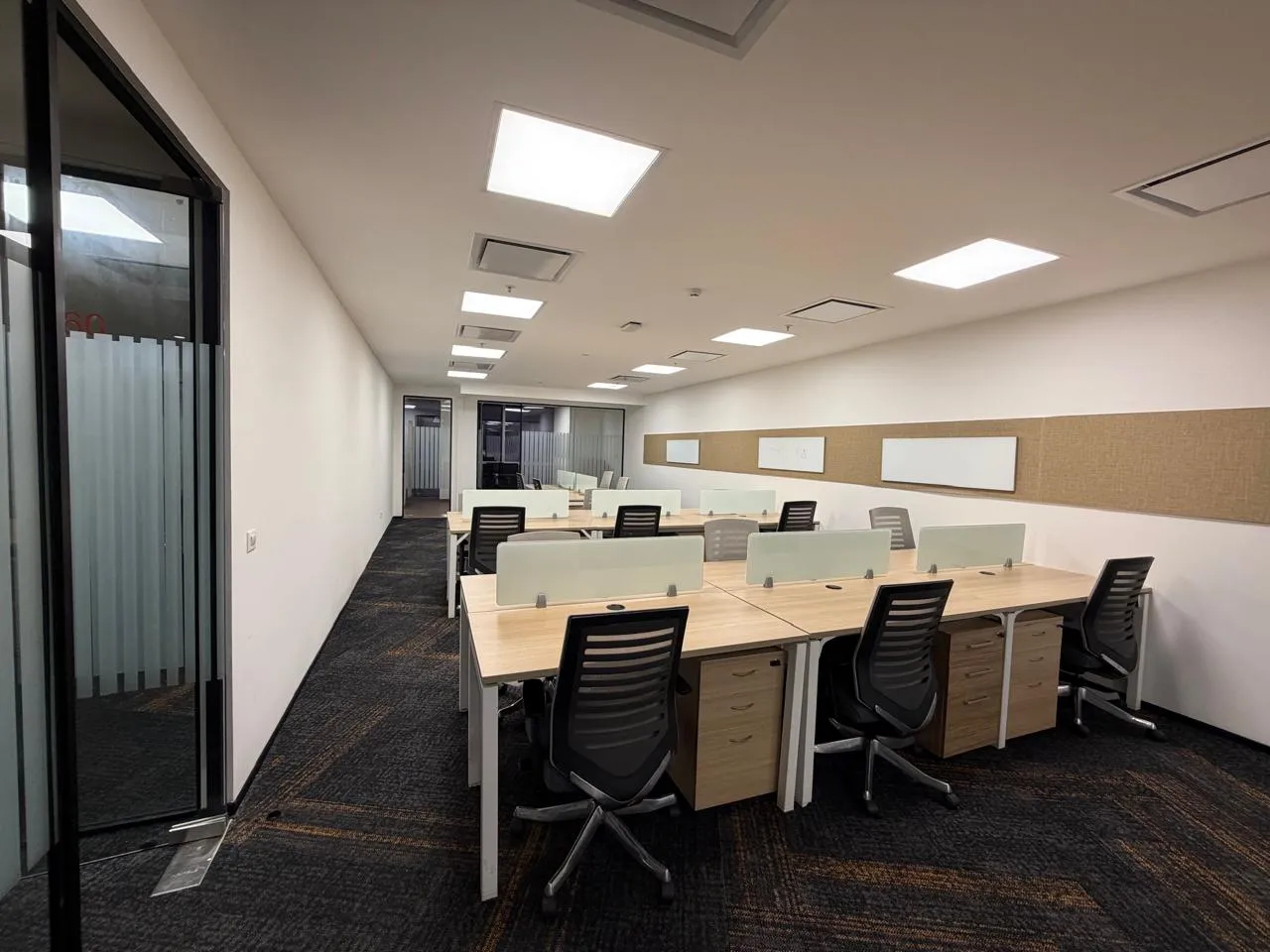
STCS Office Workspace, Phase I

STCS Office Workspace, Phase I

Kalkaji, New Delhi

View gallery
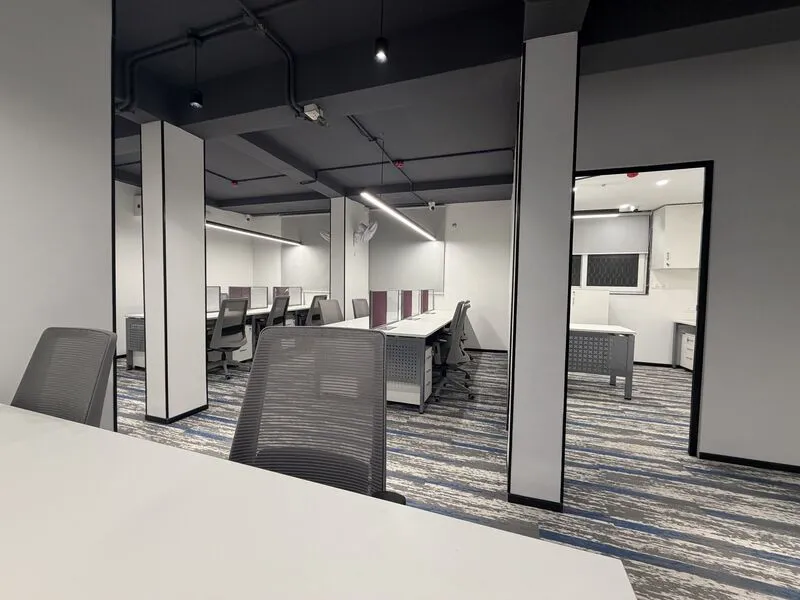
Worldmark 2 & 3 Fit-Out

Worldmark 2 & 3 Fit-Out

Delhi Aerocity

View gallery

Related reading

Managed Office Fit-Out: What Landlords and Operators Should Know
Process

Managed Office Fit-Out: What Landlords and Operators Should Know

Key decisions for managed office and co-working fit-outs: desk density, MEP load, brand standards, and repeatable delivery models.

10 Jun 20261 min
Delhi NCR Commercial Fit-Out Guide
Location

Delhi NCR Commercial Fit-Out Guide

Overview of commercial fit-out delivery across Delhi NCR: Aerocity, South Delhi, key corridors, and how to plan your project.
22 Jun 20261 min
Previous

Turnkey Office Interior Design: How It Cuts Fit-Out Risk

Next

Retail Fit-Out Contractor in Pune: Bombay Shirt Company at Phoenix Mall

On this page

  • What is a Gantt chart?
  • Why use a Gantt chart on fit-out and construction projects?
  • Key benefits for fit-out delivery
  • Who should use this template?
  • What's inside the template
  • How to use the template on your project
  • Pros and cons of Excel Gantt charts
  • Advantages
  • Limitations
  • When to move beyond spreadsheets
  • Download the free Gantt chart template
  • Frequently asked questions
  • What is a Gantt chart used for in construction?
  • Is Excel enough for fit-out project scheduling?
  • How often should I update the Gantt chart?
  • Can I use this template for office fit-outs in Delhi NCR?
  • Does Spaceio+ help with programme management on live projects?